Restaurant Solution

Menu QR Code Generator

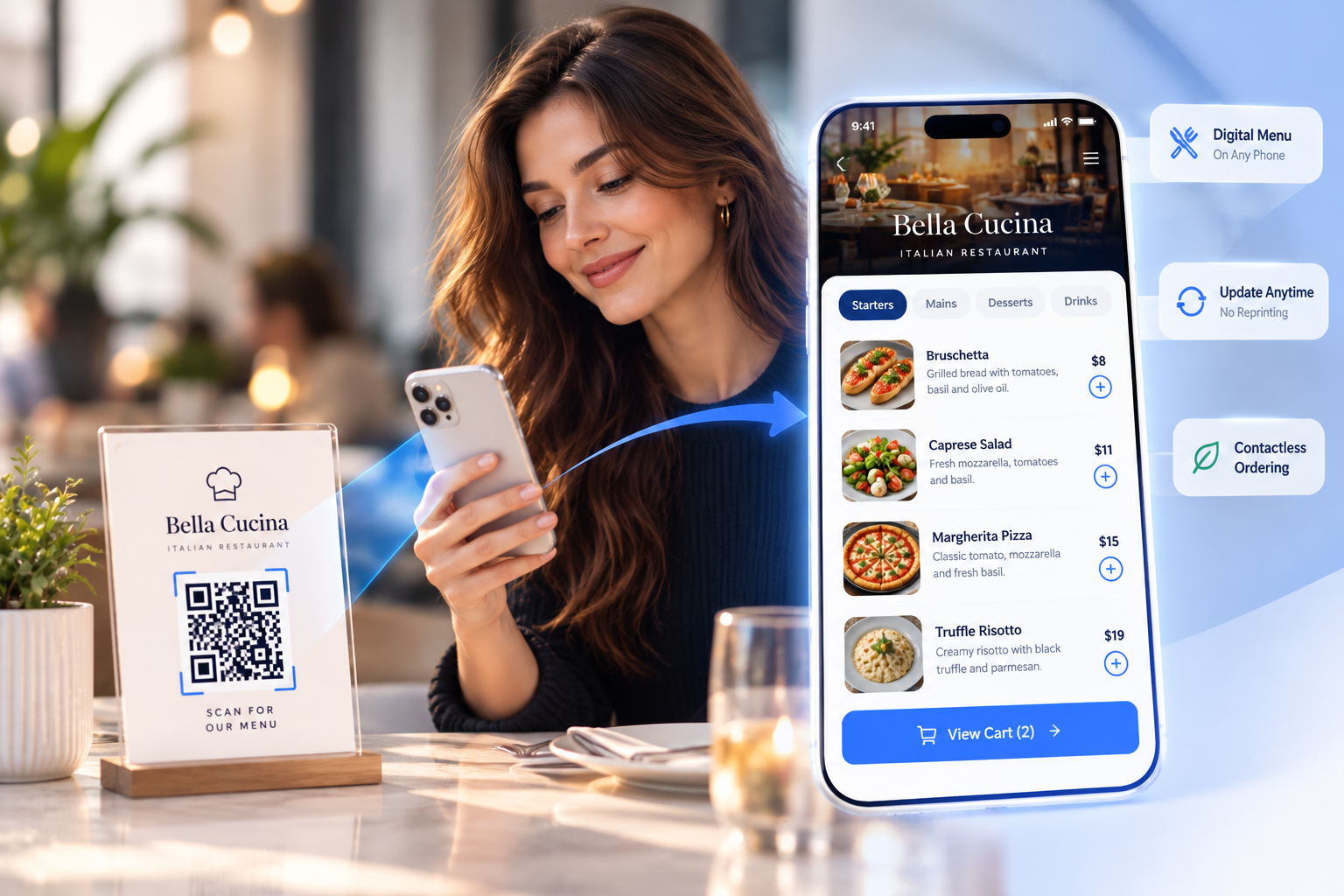
Turn your restaurant or café menu into a scannable QR code that opens your full digital menu on any phone. Put it on every table for contactless ordering — and update prices, specials, and sold-out items anytime, without reprinting a single card.

Free to start — no credit cardEditable after printingContactless & app-free for diners
Bella Cucina

Dinner Menu

Starters
Bruschetta$8
Caprese Salad$11
Mains
Margherita Pizza$15
Truffle Risotto$19

Table 7

Scan for our menu

1 scan

To open your full menu

0 reprints

When prices or dishes change

Real-time

Scans, devices & busy hours

Any phone

No app for diners to install

Why use a QRBold menu QR code

Built for real dining rooms — contactless for guests, instant to update, and trackable for you.

Open your full menu in one tap

A menu QR code on the table drops diners straight into your digital menu — photos, sections, allergens, and prices — the instant they scan. No app to download, no waiting for a printed card to free up.

Change prices & items anytime — no reprinting

Sold out of the special? Raising a price? Adding a seasonal dish? Update your menu in QRBold and every printed table tent, sticker, and counter card instantly shows the new version. No reprints, no laminating, no waste.

See what diners scan and when

Track total scans, unique guests, devices, and your busiest hours in real time — so you know which tables, locations, and times drive the most menu views and can staff and stock accordingly.

On-brand, scannable table codes

Add your logo, brand colors, and a "Scan for our menu" frame, then export print-ready SVG and PDF that stays crisp on everything from a tiny table tent to a window decal or takeout box.

Create a menu QR code in four steps

No developer, no POS integration, no hassle. If you have a menu, you can have a QR code in minutes.

1

Add your menu

Link to your existing menu page, upload a PDF, or build a hosted digital menu. QRBold turns it into a short, managed link that opens cleanly on any phone.

2

Brand and customize

Add your logo, match your colors, and add a call-to-action frame like "Scan for our menu" so guests know exactly what the code does.

3

Print it on the table

Download print-ready PNG, SVG, or PDF and put the code on table tents, stickers, counter cards, window decals, or takeout packaging.

4

Track scans & update freely

Watch scans and busy hours roll in — and change prices, mark items sold out, or swap in seasonal dishes anytime, with no reprinting.

Menu QR codes for every kind of venue

Wherever guests need to see what you serve, a dynamic menu QR code turns a printed card into a contactless, always-current digital menu.

Restaurants

Put a code on every table that opens your full digital menu with photos and prices.

Cafés & coffee shops

Show drinks, pastries, and daily specials that you can update from your phone.

Wine bars & bistros

Share a deep wine and cocktail list without printing a heavy book.

Bars & pubs

Keep a rotating tap and cocktail menu current the moment a keg blows.

Fast casual & delis

Let guests browse and decide before they reach the counter to speed up the line.

Food trucks

Stick a code on the window so a line of customers can read the menu while they wait.

Fine dining & tasting menus

Present a refined, photo-rich menu and update courses for every seating.

Hotels & room service

Place codes in rooms and lobbies linking to dining, bar, and breakfast menus.

Contactless & app-free

Opens in the phone’s browser straight from the camera — nothing for diners to download.

Update in seconds

Change prices, mark items sold out, or add specials anytime — the printed code never changes.

Scan insights

See total scans, devices, and your busiest hours to plan staffing and stock with confidence.

What is a menu QR code?

A menu QR code is a scannable code — usually printed on a table tent, sticker, or counter card — that opens your digital menu on a customer’s phone the moment they point their camera at it. Instead of waiting for a printed menu, diners see your full lineup of dishes, drinks, photos, allergens, and prices instantly, right in their browser.

With QRBold, the code is dynamic. The printed code points to a short link we manage, so the menu behind it can change without changing the code itself. Raise a price, mark the special sold out, or swap in a seasonal dish, and every table tent, window decal, and takeout box instantly shows the updated menu — no reprinting required.

Why use a QR code menu instead of printed menus?

Printed menus are expensive, slow to change, and a hygiene concern. Every price change means a reprint run, every sold-out item means an awkward "we’re out of that," and every menu gets handled by dozens of guests a day. A QR code menu fixes all three: it is contactless, instantly updatable, and effectively free to change as often as you like.

It is also measurable. A laminated menu tells you nothing; a dynamic menu QR code tells you how many guests scanned, on which devices, and during which hours — so you can see your busiest periods, compare locations, and understand how diners engage with your menu. That turns a passive card into a living, contactless, data-driven part of your service.

Best practices for restaurant menu QR codes

A menu QR code only helps if guests can scan it easily and land on a clean, current menu:

  • Use a dynamic code. Never hard-code a menu link you might change — a dynamic code lets you update prices and dishes without reprinting a single table tent.
  • Make the menu mobile-first. Ensure your digital menu loads fast and reads cleanly on a phone, with clear sections and legible prices.
  • Export as vector. Download SVG or PDF so the code stays crisp on everything from a small table tent to a window decal.
  • Keep contrast and a quiet zone. Dark code on a light background with clear margin scans fastest — avoid printing it over busy artwork.
  • Add a call to action. A frame like "Scan for our menu" placed at eye level on the table can dramatically increase scans over a bare code.
  • Test before printing. Scan the final artwork on both an iPhone and an Android to confirm it opens the right, up-to-date menu.

How QRBold compares to basic QR menu generators

Plenty of free tools can encode a menu link into a QR code. The difference shows up after you print. Basic generators create static codes: if your menu link changes or you update your prices, the code dies or points to a stale page, and you will never know how many guests scanned it.

QRBold is built for restaurants, cafés, and bars that put codes on physical things — table tents, stickers, window decals, and takeout packaging. You get dynamic codes you can re-point anytime, full design customization with your logo and brand colors, print-ready vector exports, scan analytics with device and busy-hour breakdowns, and bulk tools for managing many tables or locations at once. Start free, and upgrade only when your scan volume grows.

Menu QR code questions, answered

Everything you need to know about creating, printing, and updating QR codes for restaurant and cafe menus.

Explore more QR code solutions

One QRBold account, every type of dynamic QR code — all trackable, editable, and on-brand.

QR Code for PDF

Share menus, manuals & brochures from one scannable link.

QR Code for Google Form

Collect survey, feedback & sign-up responses fast.

QR Code for Product Packaging

Turn boxes & labels into smart, trackable packaging.

GS1 QR Code Generator

GTIN, batch & expiry in one Sunrise 2027-ready code.

GS1 QR Code for Supply Chain

Track pallets, cartons & shipments end-to-end with SSCC & GLN.

GS1 QR Code for Asset Tracking

Serialize equipment, machinery & returnable assets.

GS1 Product Authentication

Anti-counterfeiting, serial numbers & brand verification.

GS1 Pharma Traceability

DSCSA & FMD unit-level serial & lot compliance.

GS1 Retail Sunrise 2027

Prepare POS registers & 2D barcodes for the 2027 standard.

GS1 Farm to Table Traceability

Food origin, harvest dates, organic certs & FSMA 204.

GS1 Inventory Management

SKU, batch & FEFO stock control connected to WMS/ERP.

GS1 Barcode to QR Code Migration

Step-by-step roadmap to move from 1D to 2D packaging barcodes.

GS1 Digital Product Passport

EU ESPR sustainability, recyclability & carbon footprint.

GS1 Parts & Components

Industrial serialization, GIAI, GRAI & MRO maintenance logs.

QR Code for Location

Open maps & directions to your address in one scan.

QR Code for vCard

Share contact details & save them in one scan.

QR Code for WiFi

Let guests connect to WiFi without a password.

QR Code for App Download

One code routes to the App Store or Google Play.

QR Code for Social Media

Link all your social profiles from one scan.

QR Code for Video

Play a video on any phone with one scan.

QR Code for Reviews

Collect Google reviews & feedback in one scan.

QR Code for WhatsApp

Start a WhatsApp chat with your business instantly.

QR Code for Events

Share details, RSVPs & tickets in one scan.

QR Code for Coupons

Deliver discounts & track redemptions in one scan.

QR Code for Website

Turn any URL into a trackable, editable QR code.

QR Code for Business Cards

One scan saves your contact — editable after printing.

QR Code for Instagram

Grow followers from packaging, signage & print.

QR Code for YouTube

Play any video or channel with one scan.

QR Code for Weddings

Guest photos, RSVPs & details in one elegant scan.

Put your menu on every table in one scan

Create your first menu QR code free with QRBold. Brand it, print it on your tables, and update prices and dishes whenever you like — without ever reprinting a card.

Start Free

No credit card required